 eBook
hoopla Instant
eBook
hoopla Instant
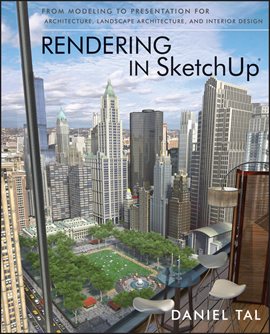
Rendering in SketchUp
Year
2013
Language
ENGLISH
Publication Information
Wiley
Summary
The sure way for design professionals to learn SketchUp modeling and rendering techniques. “Rendering In SketchUp” provides instructions for creating 3D photoreal graphics for SketchUp models using integrated rendering programs. The book serves as a beginner rendering manual and reference guide to further develop rendering skills. With an emphasis on step-by-step process, SketchUp users learn a universal approach to rendering varied SketchUp projects, including architecture, interiors, and site design models. The book focuses on tasks and principles at the core of photorealistic rendering, including: • Rendering process: Learn a step-by-step process focused on workflow within SketchUp's familiar workspace. • Universal method: Understand how the process can be used to work with a variety of different integrated rendering programs, including Shaderlight, SU Podium and Twilight Render**. These programs are easy to learn and function in SketchUp. • Textures and materials: Discover how to obtain, apply and edit texture images representing surfaces. • Component details: Learn how to acquire and organize model details to allow for rich, expressive settings while maintaining computer and SketchUp performance. • Exterior and simulated lighting: Learn to set exterior lighting with the SketchUp's Shadow menu or illuminate a scene with simulated lights, lamps, and bulbs. • Render settings: Use specific settings for various rendering programs to quickly set texture character, image quality, and graphic output. • Computer specifications: Find out how computers produce renders and the type of computer hardware required to streamline the process. • Photoshop post-processing: Learn how to further refine rendered images in Photoshop.